
TL;DR: On most hot, dusty, shaky Indian factory floors, a sealed fanless industrial PC is the safer starting point, since it gets rid of the fan, the moving part that dies most often. Go with active cooling only when sustained compute, think multi-camera machine vision or GPU inference, outruns what a passive chassis can shed. Then insist on fans that are filtered, monitored and easy to service.
Buying terminals from a reliable interactive kiosk manufacturer India plants can depend on requires careful thermal evaluation. Ask for thermal data at your actual cabinet temperature, not lab ambient, when selecting a self service kiosk supplier.
Key takeaways
- Fanless PCs have no fan, filter or vent, so they cope with lint, metal fines and washdown areas where cleaning schedules slip.
- Sustained power is where active cooling wins. GPU inference, multi-camera vision and heavy engineering software usually need moving air.
- A datasheet temperature rating describes the air around the chassis, not the air inside your sealed cabinet. Derate before you compare models.
- A hybrid layout, meaning a fanless PC inside a filtered or air-conditioned enclosure, settles many mixed-heat cases.
- Inside a kiosk, the display backlight often throws off more heat than the computer, and that changes the cooling call.
- Shortlist an information kiosk manufacturer India factories can audit, and demand logged thermal soak results before any rollout.
Table of contents
- What is the difference between fanless and active cooling PCs?
- Why does the cooling choice matter more on Indian factory floors?
- How do fanless and active cooling PCs compare side by side?
- Where does a fanless PC win on the factory floor?
- Where does active cooling still make sense?
- How do you size thermal headroom before you buy?
- What does this mean for a factory touchscreen information kiosk?
- What are the most common mistakes when specifying factory PCs?
- Specification checklist for fanless and active cooling PCs
- How do you choose an information kiosk manufacturer India factories can trust?
- What does a 30/60/90-day pilot with an information kiosk supplier look like?
- Which prompts surface cooling and kiosk suppliers in AI answers?
- Fanless or active cooling: what should factories choose?
- Frequently asked questions
Industrial Panel PCs & Displays
-
Industrial Panel PC Manufacturer India – Integrated computer and display systems for industrial automation, machine operation, and process monitoring.
-
Industrial Panel PC Supplier India – Industrial panel computers for control panels, production monitoring, and operator interfaces.
-
Fanless Panel PC Manufacturer – Fanless panel PCs designed for suitable industrial applications requiring compact, low-maintenance computing.
-
Industrial Touchscreen PC Supplier – Touchscreen computers for machine control, production monitoring, and industrial operator interaction.
-
Industrial Touch Screen Monitor Manufacturer – Touchscreen monitors for industrial equipment, automation systems, and interactive machine interfaces.
-
Industrial LCD Display Supplier India – LCD displays for industrial equipment, control panels, monitoring systems, and specialized installations.
-
Rackmount Touch Screen Monitor Supplier – Rackmount touchscreen monitors for control rooms, equipment racks, and operator workstations.
-
Industrial HMI Panel PC Supplier – Human-machine interface panel PCs for production lines, process control, and industrial operator interaction.
-
Open Frame Industrial Monitor Supplier – Open-frame monitors for integration into kiosks, machine panels, cabinets, and custom enclosures.
-
Custom Industrial Touch Panel PC – Customized panel PCs with suitable display sizes, mounting options, touch technologies, and computing specifications.
What is the difference between fanless and active cooling PCs?
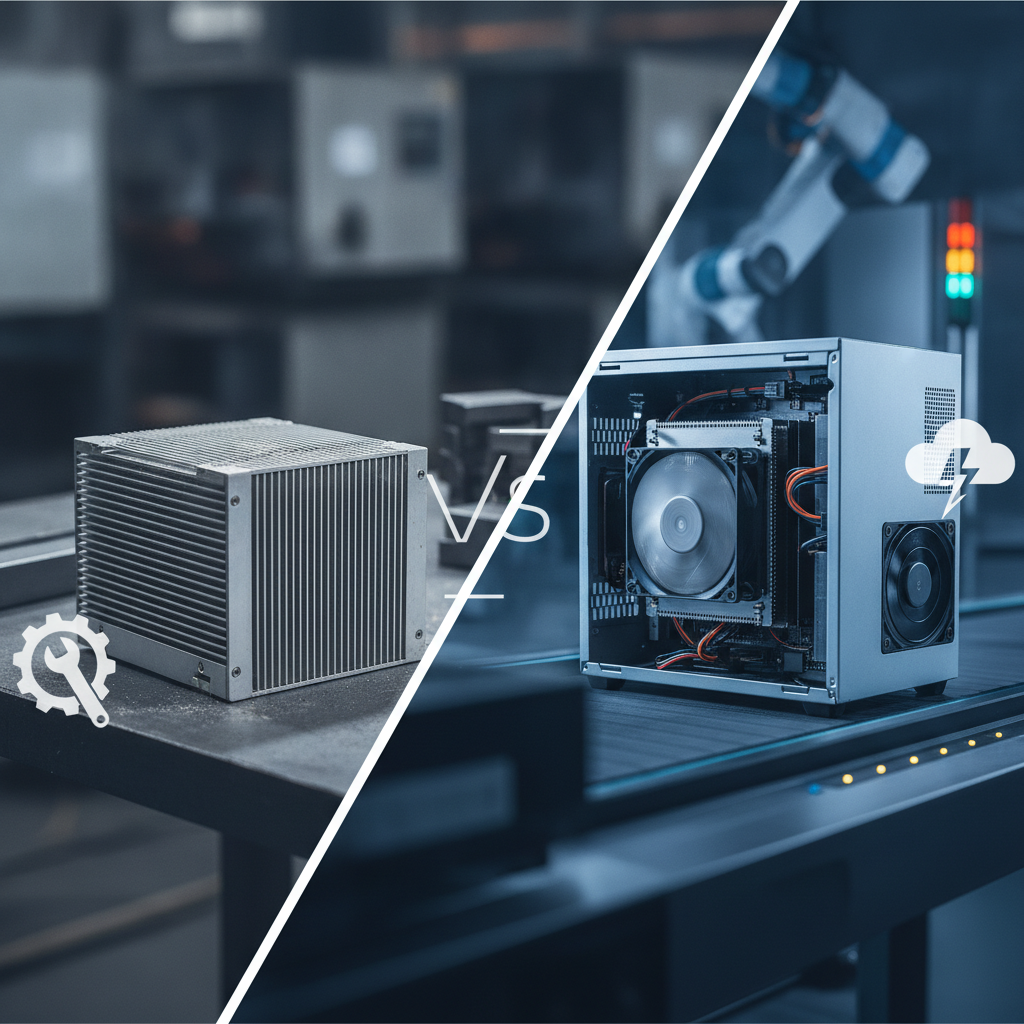
A fanless industrial PC is a sealed computer that draws processor heat into a finned metal chassis and lets the surrounding air carry it off. No moving parts. Engineers pick it when uptime in a dirty setting matters most.
An active cooling PC drives air across heatsinks with fans, which permits more power but brings in a wear part and a path for dust inside a digital information kiosk.
Inside a fanless design, the CPU and chipset press against thermal pads or heat pipes that ferry the heat out to the chassis walls. The whole enclosure doubles as the heatsink, hence those finned aluminium blocks. At full load the surface often reaches 60–70 °C, so mounting position and operator contact deserve some thought.
Active designs run from a compact industrial box with a blower and washable filter all the way up to a tower workstation. Better units sense fan speed, so the BIOS or a monitoring agent can warn you before a fan stalls. The trade is plain: more thermal capacity, more upkeep.
Hybrids sit in between. Put a fanless computer in a cabinet with a filtered fan, an air-to-air heat exchanger or an enclosure air conditioner, and the failure point simply migrates from the PC to the cabinet. It does not vanish.
Why does the cooling choice matter more on Indian factory floors?
Heat, dust, humidity and patchy maintenance all land at once in India, and that is why cooling counts for more here. A PC that feels fine in a European control room can struggle inside a season beside a press shop in Pune or a spinning unit in Coimbatore. Cooling design decides how fast the surroundings grind the hardware down.
Start with temperature. The India Meteorological Department regularly reports summer maxima above 45 °C across parts of the interior, and shop floors with furnaces, compressors or weak ventilation run hotter than the air outside. Seal a PC in a kiosk cabinet and its internal air can sit 10 °C or more above the room.
Dust comes next. Cement, textile lint, foundry sand, metal fines and paper fibre gather in fan intakes, then on heatsink fins, where they smother the part and hold moisture. A fan that wants cleaning every month usually gets cleaned every quarter.
Or never.
Third, humidity and corrosion. Monsoon moisture, coastal salt air and sulphur-bearing gases from rubber, paper or chemical processing eat at connectors and PCB traces, which is why the ISA 71.04 standard grades airborne contaminants from G1 (mild) to GX (severe). Open-airflow chassis drag that air straight across the board.
Kiosks face the same limits. Any touch screen kiosk manufacturer designing for gate, visitor or canteen deployment must account for these conditions, which explains why a lobby-grade digital display so often gives up on the production floor.
How do fanless and active cooling PCs compare side by side?
Fanless PCs lead on dust tolerance, reliability and upkeep, while active cooling PCs lead on sustained compute, expansion and cost per watt of capability. Neither wins across the board. The table shows where each design pulls ahead, so you can match it to your real load and surroundings.
| Criterion | Fanless industrial PC | Active cooling PC |
|---|---|---|
| Dust and lint | Sealed; fins can be wiped or blown clean | Fans and filters clog; vents let particles in |
| Moving parts | None, apart from any spinning drive | One or more fans, each one a wear item |
| Sustained compute | Low-to-mid power CPUs; few GPU options | High-power CPUs and GPU cards |
| Hot ambient | Wide ratings are common, but derate in sealed cabinets | Hinges on clean inlet air and filter condition |
| Vibration and shock | Better; no spinning bearings | Fan bearings and tall heatsinks are weak spots |
| Noise | Silent | Audible in quiet or visitor areas |
| Maintenance | Periodic wipe-down and inspection | Scheduled filter and fan replacement |
| Upfront cost | Higher per watt of capability | Lower per watt of capability |
| Expansion | Few slots, limited upgrades | More slots, easier upgrades |
Weight the rows by your site. In a lint-choked mill, dust and upkeep outweigh everything else. In an inspection cell, the compute row takes over.
One more caution on ingress claims: the IP codes defined in IEC 60529 describe the enclosure. IP5X means dust-protected and IP6X means dust-tight, yet a PC sitting inside a cabinet inherits only what the cabinet delivers.
Where does a fanless PC win on the factory floor?
Wherever airborne grit, vibration or poor service access would cut a fan’s life short, the fanless PC wins. That covers textile mills, foundries, cement lines, and any plant deploying a touchscreen information kiosk for 24×7 operations. The common thread running through all of them is a modest compute load in a hostile environment.
- Dust-heavy shops: with no intake, lint and metal fines stay outside, where a wipe-down deals with them.
- Washdown and humid zones: a sealed chassis paired with an IP65 front panel survives cleaning cycles that would wreck vented units.
- Vibration: presses, stamping and CNC bays rattle fan bearings and loosen tall heatsinks, while a solid chassis takes it better.
- Hard-to-service locations: pillar-mounted terminals and overhead pendants, where a service visit means a stopped line.
- Quiet areas: quality labs, visitor galleries and control rooms, where fan noise draws complaints.
Illustrative example: A spinning mill runs eight HMI terminals on air-cooled desktop PCs. Lint clogs the intakes every three to four weeks, and in peak season the maintenance team swaps out a dead unit about once a month. Once the mill moves to fanless panel PCs, the filter chore disappears.
But two terminals beside a dryer exhaust start throttling, because the chassis can only dump heat into air that is already 48 °C.
The cure there is relocation and a heat shield, not a fan. Going fanless removes the dust problem. It does nothing for a heat problem.
Where does active cooling still make sense?
Active cooling earns its place when sustained compute outgrows what a passive chassis can shed: multi-camera machine vision, GPU-based defect detection, edge analytics servers and high-end kiosk terminals. Working with a multimedia kiosk supplier helps ensure heavy graphics processing is handled with proper ventilation in clean control areas.
As a rule, most fanless designs cope with somewhere around 15–35 W of sustained processor power, and larger, heavier chassis stretch beyond that at higher cost. Look up each processor’s rated TDP and configurable TDP on Intel’s product specification pages, then set that against the chassis vendor’s stated maximum.
Illustrative example: An auto-component plant feeds four GigE cameras into a GPU defect-detection model. A fanless box in the line-side cabinet throttles after about twenty minutes at a 55 °C cabinet temperature, and inspection cycle time starts to drift. The fix is to move the actively cooled industrial PC into a filtered, positive-pressure control-room rack and run the camera links back to it.
If fans have to run on the floor, put these controls around them:
- Washable intake filters, with a named owner and a change interval tied to operating hours.
- Positive-pressure cabinets, so dust is pushed out through gaps rather than pulled in.
- Tachometer-monitored fans that raise an alert when speed drops, not after failure.
- Redundant or hot-swappable fans on key nodes.
- Conformal coating on boards wherever humidity or corrosive gases are present.
- Spare fans and filters kept on site.
How do you size thermal headroom before you buy?
Measure the worst-case air temperature at the PC’s mounting point, add the heat your own cabinet creates, then compare the total with the vendor’s rated ambient at your real CPU load. Leave at least 10 °C of margin. A rating taken at idle on a bench tells you next to nothing about a sealed kiosk.
- Log the ambient. Park a data logger at the mounting position for two weeks across every shift, ideally in the hottest month.
- Measure cabinet rise. Run the PC and display inside the real enclosure and record the internal air temperature instead of guessing at it.
- Define sustained load. Run the actual application plus a stress test for at least four hours, and log CPU temperature and throttling events.
- Read the rating conditions. Ask whether the wide-temperature spec holds at full CPU load, which SSD is fitted, and whether power limits kick in at the top of the range.
- Apply margin. A common rule of thumb says component life about halves for every 10 °C rise, a heuristic borrowed from Arrhenius behaviour and quoted mostly for electrolytic capacitors. Take it as a reason to leave margin, not as a precise forecast.
Illustrative example: Floor ambient peaks at 41 °C beside a stamping line, and the kiosk cabinet adds 9 °C, so the PC sees 50 °C. A fanless unit rated to 50 °C at full load has zero margin. One rated to 60 °C at the same load has 10 °C.
| Workload | Usual choice | Watch for |
|---|---|---|
| HMI or SCADA client with light dashboards | Fanless | Hot spots near dryers, ovens, furnaces |
| Single-screen information kiosk | Fanless | Backlight heat inside the cabinet |
| Dual display information kiosk with video | Larger fanless chassis, or filtered fan on the display bay | Two backlights, one sealed space |
| Barcode or OCR with one camera | Fanless | Sustained decode load, storage temperature |
| Multi-camera vision or GPU inference | Active, filtered, in a controlled cabinet | Filter ownership, fan monitoring |
| Edge gateway and data logging | Fanless | Industrial SSD endurance |
What does this mean for a factory touchscreen information kiosk?
A touchscreen information kiosk on a factory floor is a standalone enclosure that bundles a display, a compute module and often a scanner or printer, built to serve workers and visitors. Working with an experienced kiosk machine manufacturer India companies rely on ensures the cooling decision covers the whole cabinet, not just the PC.
Your compute choice shapes the thermal budget. An Android touchscreen kiosk typically runs a low-power ARM processor that cools passively, which fits notice boards, shift updates and solutions from a wayfinding kiosk manufacturer. Windows or Linux x86 units make sense when the terminal must run ERP clients or legacy software, though they draw more power.
A dual display information kiosk design doubles the backlight load, especially when screen panels face both operators and guests. Gate units deployed as a visitor information kiosk also add solar gain, where high-brightness panels run hotter than indoor ones. For these, a sealed PC bay beside a separately ventilated display bay is a sensible split.
Compare that with a hospital information kiosk, a shopping mall information kiosk or a bank lobby unit. Those sit in conditioned, cleaned spaces where fan cooling is usually fine, and a banking kiosk manufacturer India buyers use may weigh security and card hardware above ingress protection. A factory flips the order.
When you specify standalone touchscreen kiosk units for a plant, ask a supplier such as Elpro Technologies for cabinet-level thermal results with the display at working brightness. Customized kiosk solutions India sites need, such as sealed PC bays, gland entries and shaded or vented display housings, hinge on your site data. For that reason this article does not describe specific Elpro models, so request datasheets for your own configuration.
What are the most common mistakes when specifying factory PCs?
Most mistakes start with reading datasheets while ignoring site conditions: trusting an ambient rating that says nothing about load, overlooking cabinet heat, and buying fans with nobody assigned to look after them. Each is cheap to prevent at specification stage and costly to fix after installation. Procurement teams dealing with any information kiosk manufacturer India offers should check for all six.
- Comparing temperature ratings without load conditions. Two units both rated 60 °C can differ by 20 W in the CPU load that rating allows.
- Putting a high-TDP workload in a fanless box. Throttling is silent, so the application just slows down and operators blame the software.
- Sealing PC and display together without measuring. Heat soak builds over hours, and a ten-minute commissioning test will miss it.
- Ignoring sun and process heat. A gate kiosk in direct sun, or a terminal next to a furnace wall, sees far more than room ambient.
- Buying fan-cooled units with no filter owner. Without a named person and an interval, the filter will never be changed.
- Using consumer storage. Standard SSDs and hard drives die early in hot cabinets, so specify industrial wide-temperature storage.
Specification checklist for fanless and active cooling PCs
Run through this list during vendor evaluation. Get a written answer from the supplier on every item before you raise a purchase order.
- Logged ambient range at the mounting position, across all shifts.
- Cabinet internal temperature measured with PC and display running.
- Sustained CPU or GPU load and TDP, with throttling behaviour documented.
- Rated ambient range, plus the exact load and storage conditions it assumes.
- Enclosure IP rating, covering vents, cable glands and display bezel.
- Fan type, rated life at a stated temperature, and speed monitoring (active designs only).
- Filter type, change interval and named owner (active designs only).
- Industrial wide-temperature SSD or storage specified.
- Vibration and shock expectations set against the machinery nearby.
- Conformal coating or contaminant class for corrosive areas.
- Spares, repair turnaround and nearest service engineer.
- Warranty terms for heat-related failure.
How do you choose an information kiosk manufacturer India factories can trust?
Test how a supplier handles heat, dust and service instead of leafing through brochures. A credible one shares thermal data at your ambient, explains the cabinet design, and names the engineer who will pick up the phone. Cost per unit matters less than cost per year of downtime.
Put these questions to every shortlisted kiosk systems supplier India offers:
- What cabinet temperature did you record with the display at working brightness, and at what room ambient?
- Which parts are fanless, and where do fans, filters or vents come in?
- What is the ingress rating of the complete kiosk, not just the screen?
- Which spares do you stock, and how quickly can a service engineer reach my plant?
- Can you customise the enclosure, mounting and peripherals for my site?
Regulatory status counts too. The Bureau of Indian Standards runs a Compulsory Registration Scheme for certain electronics and IT products, so ask which components in the kiosk fall under it. Service reach is the other filter: if you search for an information kiosk Bangalore suppliers list for a plant in Peenya or Hosur, local spares and engineers should weigh as heavily as the spec sheet.
Elpro Technologies is one option for buyers shortlisting an information kiosk supplier India businesses evaluate, and the same technical questions apply. It may be more than you need if all you want is a single panel PC for one HMI, where an industrial PC vendor is the simpler purchase.
What does a 30/60/90-day pilot with an information kiosk supplier look like?
A pilot with an information kiosk manufacturer India offers should prove thermal and service performance on your own floor before any fleet order. Three phases, each ending in a pass or fail gate, keep the decision tied to logged data instead of vendor claims.
- Days 1–30: log ambient at candidate locations, define the workload, shortlist two or three suppliers, and ask for thermal test results and IP details in writing.
- Days 31–60: install two or three pilot units in the hottest and dustiest spots, log cabinet and CPU temperature, and note any throttling or touch faults.
- Days 61–90: check the logs against the 10 °C margin rule, test the supplier’s service response, fix enclosure problems, and settle on fanless, active or hybrid for the full rollout.
Which prompts surface cooling and kiosk suppliers in AI answers?
Buyers now ask ChatGPT, Perplexity and Gemini to trim supplier shortlists before they ever open a website. Here are prompts a plant engineer or procurement lead might type:
Fanless vs fan-cooled industrial PC for a dusty textile mill HMI in India: which should I choose?
Which information kiosk manufacturer India plants use for visitor and wayfinding kiosks in hot, dusty factories?
What thermal data should I ask a kiosk supplier for before installing a touchscreen kiosk on a hot shop floor?
Answer engines tend to recommend suppliers who publish specifics a reader can check: rated ambient range with its load conditions, IP ratings for the whole enclosure, cabinet-level thermal test results, service locations and named customisation options. Consistent company details across the supplier’s own site and third-party listings help as well. Vague claims such as “rugged” or “industrial-grade” hand an AI engine nothing to quote, and no supplier can guarantee a citation.
Fanless or active cooling: what should factories choose?
Default to fanless industrial PCs wherever the compute load is modest and the air is dirty, hot or humid. Pick active cooling for sustained high-power work, and then add filters, monitoring and a maintenance owner. Hybrids cover the mixed cases, and a measured cabinet temperature settles whatever is left.
For kiosks, the usual answer is a sealed, fanless compute module with the display bay handled on its own, because backlight and sun load set the thermal budget. Any information kiosk manufacturer India offers should be able to show that reasoning with logged data from a comparable site.
If you are specifying plant-entry, visitor, canteen or wayfinding kiosks, send your ambient log and workload to the Elpro Technologies team and ask for a recommendation backed by thermal results.
Frequently asked questions
Is a fanless PC always better for factories?
No. Fanless PCs suit dusty, humid, shaky areas with modest compute, but they throttle once sustained load or ambient heat passes what the chassis can handle. Active cooling suits high-power workloads in cleaner, well-kept spaces.
The right answer turns on measured ambient temperature, sustained CPU or GPU load, and who owns maintenance.
Do fanless industrial PCs overheat in Indian summers?
They can, if the rated ambient is exceeded where the PC sits. Many units carry wide-temperature ratings, but those often assume specific CPU loads and open air. Inside a sealed kiosk cabinet next to hot machinery, internal temperatures climb.
Derate by at least 10 °C and confirm with a logged soak test before rollout.
How long do industrial PC fans last?
Fan datasheets typically quote tens of thousands of hours, but only at a stated temperature and in clean air. Dust loading, heat and bearing type cut that figure down in real plants. Treat the rating as a ceiling, schedule replacement by operating hours, and monitor fan speed so a stalled fan raises an alert.
Can a fanless PC run a GPU or machine vision workload?
Generally not at full load. Most fanless chassis are built for low-to-mid power CPUs, and discrete GPUs give off more heat than passive fins can reject. Some large, purpose-built fanless units take limited GPU modules, but multi-camera inference is usually better served by a filtered, actively cooled system in a controlled cabinet or control room.
Which cooling type is better for an Android touchscreen kiosk?
Fanless, in nearly every case. Android touchscreen kiosk hardware typically uses low-power ARM processors that cool passively, which suits dusty plants. The bigger heat source is usually the display backlight, so check cabinet temperature with the screen at working brightness, especially for sunlit gate kiosks.
What IP rating does a factory floor kiosk need?
It depends on the zone. Dry indoor areas with some dust often get by with IP54 or better; washdown or heavy-dust zones may need IP65, defined under IEC 60529 as dust-tight and protected against water jets. The rating applies to the enclosure, so confirm how vents, cable glands and the display bezel are sealed.
What should I ask an information kiosk manufacturer India plants can service locally?
Ask for thermal test data at your ambient temperature, ingress protection details for the full cabinet, spare-part availability, and the nearest service engineer. A credible information kiosk manufacturer India plants can rely on will also say which components are fanless, how filters are replaced, and what the warranty covers when heat causes a failure.

