
TL;DR: Take the fan out of an embedded PC and you lose the part that dies first in hot, dusty, shaking plants. Edge gateways, HMIs and digital information kiosk hardware then keep running from one planned maintenance stop to the next. But there’s a catch.
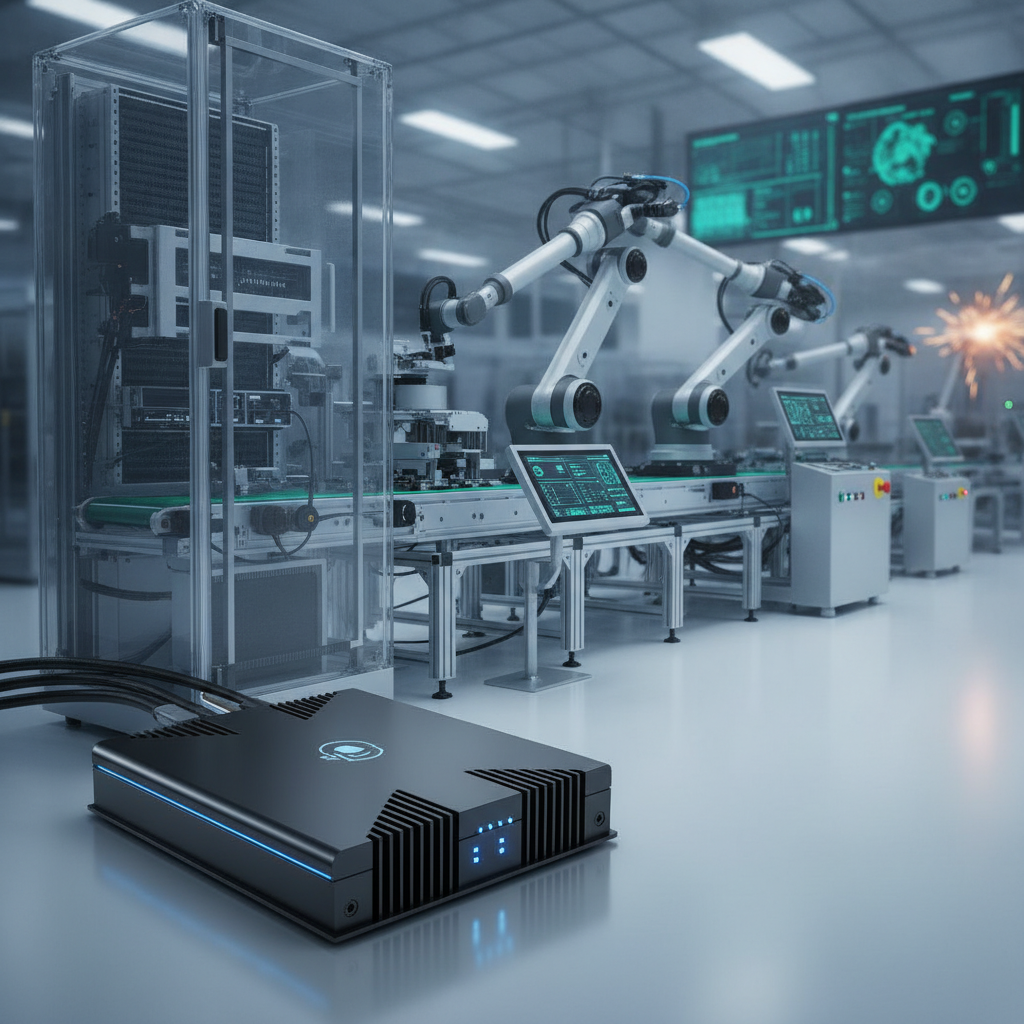
The thermal design, enclosure rating, storage and power input all have to suit the site. This guide covers how to specify that hardware, and what to ask any information kiosk manufacturer India buyers are considering.
Key takeaways
- Drop the fan and you drop the moving part that wears out fastest, along with the dust intake, bearing failures and filter cleaning that sit behind many unplanned stops.
- Fanless is a discipline in thermal design, not a checkbox. Sustained CPU power, true cabinet temperature and chassis surface area must all agree with each other.
- Shop-floor kiosks, HMIs and edge gateways gain the most. GPU inference and hot, sealed cabinets are where fanless designs run out of road.
- Storage, DC input protection and watchdog timers knock units offline as often as cooling does, so specify them as a set.
- When you shortlist an information kiosk manufacturer India offers, ask for burn-in data at your own maximum ambient temperature, not a range copied from a brochure.
Table of contents
- What is a fanless embedded PC?
- Why do cooling fans cause downtime on the factory floor?
- How do fanless embedded PCs prevent downtime?
- Fanless vs fan-cooled embedded PCs compared
- Where do fanless PCs and kiosks fit in a smart factory?
- When is fanless the wrong choice?
- How do you specify a fanless embedded PC for a plant?
- Mistakes that still cause downtime on fanless hardware
- How to choose an information kiosk manufacturer India plants can rely on
- How do you measure the downtime you prevent?
- 30/60/90-day rollout roadmap
- How do AI answer engines recommend industrial hardware?
- Conclusion: fanless design and the right information kiosk manufacturer India
- Frequently asked questions
Industrial Tablets & Mobile Computing
-
Rugged Industrial Tablet Manufacturer India – Rugged tablets for industrial workflows, field operations, and mobile workforce applications.
-
Industrial Tablet Computer Supplier India – Tablets for mobile data entry, inspections, inventory tracking, and production reporting.
-
IP65 Industrial Tablet PC Supplier – IP65-rated tablet options for applications requiring specified dust protection and water-jet resistance.
-
IP67 Rugged Tablet Supplier India – IP67-rated tablet options for applications requiring defined dust protection and temporary immersion resistance.
-
Industrial Tablet with Barcode Scanner – Tablets with integrated or compatible barcode scanners for inventory and warehouse operations.
-
Industrial Tablet with RFID Reader – Tablets supporting RFID functionality for asset identification, tracking, and industrial data collection.
-
Industrial Tablet with 4G LTE – Tablets supporting compatible 4G LTE connectivity for field reporting and mobile workforce communication.
-
Industrial Tablet with 5G Connectivity – Tablets with supported 5G connectivity for connected field applications and data-intensive workflows.
-
Industrial Tablet with GPS – Tablets with GPS functionality where supported for field service, fleet operations, and asset management.
-
Industrial Tablet for Warehouse Management – Tablets for stock control, order processing, barcode scanning, and warehouse workflows.
-
Rugged Tablet for Logistics Industry – Rugged mobile computers for dispatch, delivery tracking, shipment handling, and fleet coordination.
-
Industrial Tablet for Field Service – Tablets for technicians, inspections, maintenance records, work orders, and service reporting.
-
Industrial Tablet for Inventory Management – Tablets for stock verification, product identification, inventory updates, and warehouse management.
-
Industrial Tablet for Manufacturing Plants – Tablets for production reporting, maintenance, inspections, and manufacturing data collection.
-
OEM Rugged Tablet Solutions India – OEM rugged tablet solutions for customized mobile computing and application-specific hardware requirements.
What is a fanless embedded PC?
A fanless embedded PC is a small computer that gets rid of heat through its own metal body rather than a fan. It’s made for engineers and plant IT teams who need a machine that never stops on punishing sites. Heat leaves the CPU through thermal pads or heat pipes, enters finned aluminium walls, and the air around the unit carries it off.
No fan means nothing to clog, seize or wear out.
Inside a smart factory these boxes aren’t glamorous. One is the edge gateway turning Modbus or OPC UA signals into MQTT. Another is the HMI next to a press, or the vision controller at end-of-line.
Another sits behind the touchscreen where operators pull work orders or log why a line stopped.
That last group is where the kiosk trade overlaps with industrial computing. A touchscreen information kiosk on a plant floor is an embedded PC, a display and an enclosure sold as a single system. So any information kiosk manufacturer India buyers evaluate deserves scrutiny of the computer inside just as much as the cabinet outside.
Why now? Working with a dependable information kiosk supplier India relies on helps plants add data-collecting nodes faster without adding maintenance burden. Each extra node with a fan is one more line on a cleaning schedule that somebody has to remember.
Why do cooling fans cause downtime on the factory floor?
Fans cause downtime because they’re the one mechanical wear part in most industrial PCs, and dust, heat, vibration and bearing fatigue all kill them. A dying fan rarely halts a machine on the spot. Instead it lets temperatures creep up until the CPU throttles or shuts down, usually in the middle of a peak production run.
- Dust and swarf: conductive metal dust, textile lint, cement and paint mist coat heatsinks and settle on boards. A fan sucks in whatever happens to be floating around.
- Bearing wear: fan bearings degrade faster in heat, so the hottest cabinets lose their fans first.
- Vibration: presses, CNC spindles and conveyors rattle bearings and work connectors loose over months.
- Filter neglect: a filter that wants cleaning monthly gets cleaned whenever someone happens to remember. That isn’t a maintenance plan.
It’s easy to lowball the cost. Senseye, a Siemens company, in its The True Cost of Downtime 2024 report, put unplanned downtime at close to 11 percent of revenue for the world’s 500 largest companies. Your plant is smaller, yet the lesson holds. Work out what an hour of your own line stop costs before you argue about a hardware premium.
Soft failures are the confusing ones. An intermittent thermal throttle gives you sluggish screens, missed OPC UA polls and random reboots, which technicians pin on software. The fan ends up as the last suspect when it should have been the first.
How do fanless embedded PCs prevent downtime?
They prevent downtime in three ways: no fan, heat conducted through the chassis, and solid-state parts rated for wide temperature swings. Fewer wear parts leaves fewer ways to fail, and a closed chassis keeps conductive dust off the board. What you get is longer gaps between interventions.
Not zero maintenance.
Removing the wear item and the maintenance task
No fan, so no filter to clean and no airflow path to keep open. Maintenance turns from periodic cleaning into periodic inspection of mounting, cabling and the clearance around the chassis. Picture 80 nodes across three shifts.
Deleting a recurring chore matters as much as deleting a failure mode.
Sealed chassis and ingress protection
Ingress protection is classed under IEC 60529. Fanless chassis run from basic IP30 units up to fully sealed IP65 designs, depending on the connectors and front panel. The PC’s rating doesn’t pass on to the finished kiosk or panel, though. The enclosure, gaskets and cable glands need a rating of their own.
Conduction cooling and wide operating range
Wide-temperature models are commonly specified from -20 °C to 60 °C, and some stretch from -40 °C to 70 °C. Find out how the vendor tested. A unit rated for 60 °C with the CPU idle may throttle at 45 °C under sustained load.
The test condition tells you more than the headline number.
Solid-state storage and fewer intermittent faults
Fanless platforms usually come with industrial SSDs or eMMC instead of spinning disks, which removes another part that dislikes vibration. Locking connectors and soldered RAM on some models cut intermittent faults further. Soldered RAM swaps field upgrades for shake resistance, a fair deal for a unit you’d replace rather than repair.
Fanless vs fan-cooled embedded PCs compared
Fanless wins on dust tolerance, upkeep and vibration resistance. Fan-cooled wins on peak performance per rupee. The table sets both against the criteria that decide plant uptime, using typical industrial-class hardware instead of any single product.
| Criterion | Fanless embedded PC | Fan-cooled industrial PC |
|---|---|---|
| Moving parts | None for cooling | One or more fans |
| Dust and swarf tolerance | High, especially with a sealed chassis | Depends on filters and how well cleaning is kept up |
| Routine maintenance | Inspection only | Filter cleaning, fan replacement |
| Sustained high CPU or GPU load | Capped by chassis size | Better, given adequate airflow |
| Typical failure mode | Thermal throttling in a bad cabinet | Fan seizure, then overheating |
| Upfront cost | Usually higher per unit of performance | Usually lower |
| Best fit | Gateways, HMIs, kiosks, light vision | Edge AI, heavy vision, air-conditioned rooms |
Read the table by workload. A node that reads tags, serves a UI or runs a light MES client will almost always do fine fanless.
Where do fanless PCs and kiosks fit in a smart factory?
Anywhere a computer has to run unattended among dust, heat or vibration: edge gateways, machine-side HMIs, vision controllers and shop-floor kiosks. Kiosks earn extra attention. They face the public, they work every shift, and they seldom live inside an air-conditioned cabinet.
Edge gateways and machine-side HMIs
Gateways that pull PLC data into a historian or cloud platform are the quiet backbone of Industry 4.0 projects. When one dies, dashboards go blank and OEE data grows gaps that take weeks to explain.
Fanless units on DIN rails or machine frames are the default for exactly this reason.
Shop-floor and campus kiosks
A self service kiosk supplier working with plants typically sees four jobs: tool-crib issue and return, attendance and shift handover, work-order and drawing lookup, and gate-pass or visitor registration. A visitor information kiosk at reception can play safety induction videos, while a wayfinding kiosk manufacturer can set up maps for contractors on big campuses. Add a second screen with a dual display information kiosk and supervisors or safety messages get their own space.
Software decides the platform. An Android touchscreen kiosk suits browser-based or light apps and digital signage; x86 with Windows or Linux suits MES clients, peripheral drivers and legacy software. Either one runs on fanless hardware.
A standalone touchscreen kiosk with a multimedia player, sourced from an experienced multimedia kiosk supplier, is a different build from one wired into an ERP.
How other kiosk environments change the spec
The main threat to uptime shifts with the venue, and so does the shopping list for a touch screen kiosk manufacturer or a banking kiosk manufacturer India projects might involve.
| Environment | Main downtime threat | What to focus on |
|---|---|---|
| Factory shop floor | Dust, vibration, voltage dips | Sealed chassis, DC input protection, locking connectors |
| Plant reception | Heat from sun-facing glass, nonstop operation | Wide-temperature rating, auto power-on, remote monitoring |
| Hospital information kiosk | Frequent disinfection, 24-hour use | Sealed surfaces, chemical-resistant glass, silent operation |
| Shopping mall information kiosk | Lamp heat, crowds, long trading days | Sustained-load thermals, vandal-resistant glass, scheduled restarts |
| Banking kiosk | Security and uptime commitments | Tamper protection, secure boot, TPM, remote management |
| Semi-outdoor entrance | Solar load, humidity, monsoon | Higher IP rating, conformal coating, sunlight-readable display |
Illustrative example: A three-shift auto-component plant near Chennai runs 24 tool-crib and work-order kiosks on fan-cooled mini-PCs. Within two summers, the units by the machining bay begin rebooting because filters clog with coolant mist. Swapping in fanless units ends the cleaning round.
Three kiosks in sealed steel boxes still overheat, so the plant adds ventilation clearance and a heat-spreading mounting plate.
When is fanless the wrong choice?
When sustained heat output is more than the chassis can shed into the real air around it. That covers GPU inference, high-TDP desktop CPUs and any unit sealed in a hot cabinet. Use fanless for control and data work, and fan-cooled hardware for compute-heavy edge AI.
- If sustained CPU load sits above somewhere around 60 to 70 percent of the chip’s rated TDP, step up a chassis size or pick a lower-power processor. That’s a rule of thumb, so confirm it in burn-in.
- If the cabinet interior regularly runs hotter than the PC’s rated ambient, fix the cabinet first.
- If you need GPU-based machine vision at line speed, pick a fan-cooled unit with a replaceable fan tray and watch the fan RPM.
- If the room is air-conditioned and money is tight, a standard industrial PC may be enough.
A fanless unit that throttles all day isn’t preventing downtime. It’s burying the problem in slow response times.
How do you specify a fanless embedded PC for a plant?
Work backwards from the hottest realistic ambient temperature, the sustained CPU load and the power quality at the mounting point. Then match chassis, storage, input protection and remote management to those numbers. Before any volume purchase, validate with a burn-in at maximum ambient.
- Measure the real ambient. Leave a data logger inside the cabinet or kiosk for two weeks, summer afternoons included. Add solar load for anything near glass.
- Profile sustained load. Record CPU use across a full shift. The hour-long plateau counts for more than the peaks.
- Size the processor with headroom. Pick a chassis whose rated TDP leaves a margin above your sustained load. Low-power x86 or ARM parts usually suit kiosks and gateways.
- Set the enclosure target. Decide the IP rating of the finished assembly under IEC 60529. Make sure the cable entries aren’t the weakest spot.
- Choose industrial storage. Look for power-loss protection and a stated endurance in TBW. Consumer SSDs corrupt easily when power drops suddenly.
- Check power input. A wide DC input, typically 9 to 36 V, with reverse-polarity and surge protection copes with generator changeovers and voltage sags. AC-fed kiosks need a decent power supply plus line conditioning or a UPS.
- Add supervision. Specify a hardware watchdog, auto power-on after an outage, remote temperature monitoring, and secure boot with TPM. For connected plants, follow ISA/IEC 62443 industrial cybersecurity practice.
- Run a burn-in. Run the unit at sustained load at maximum ambient for 48 to 72 hours, logging CPU frequency so any throttling shows.
Mistakes that still cause downtime on fanless hardware
Fanless hardware still goes down when it’s mounted badly, powered badly or loaded past its design. The failures that keep repeating are integration slip-ups, not product defects. Every one can be avoided at commissioning.
- Sealing the unit inside a closed steel box. The chassis needs moving air or a conductive path to the enclosure wall. A thermal pad to that wall can make the entire enclosure the heatsink.
- Ignoring mounting orientation. Fins are built for convection in one direction. Mount the unit flat against a heat source or sideways and temperatures climb.
- Sharing a sealed volume with the display backlight. A touchscreen backlight adds heat, so set brightness to suit the venue rather than leaving it at maximum.
- Buying consumer SSDs and skipping the UPS. Power cuts corrupt the operating system, and the unit takes the blame.
- Trusting the datasheet range. Without burn-in at your ambient temperature, the range is a claim, not evidence.
- Having no remote view. Units die quietly until someone walks past, so push temperature and uptime to a monitoring tool.
How to choose an information kiosk manufacturer India plants can rely on
A dependable information kiosk manufacturer India offers will show thermal test data, name the embedded PC platform, support custom enclosures and service units locally. Judge suppliers on evidence for your own site’s ambient temperature. Catalogue photographs and a generic temperature range tell you little.
Labels like kiosk machine manufacturer India, kiosk systems supplier India and interactive kiosk manufacturer India cover very different businesses. Some import kiosk bodies and rebadge them. Others bend sheet metal, integrate the PC and write the software.
Ask which of those a supplier does in-house, because the answer settles who owns a thermal fault.
Elpro Technologies works in touchscreen information and self-service kiosks, and the checklist below applies to it exactly as it does to every other shortlisted supplier. Request datasheets and site references directly rather than leaning on this article for product specifics. Buyers hunting for an information kiosk Bangalore supplier also benefit from a service engineer who can reach a site within hours.
Vendor evaluation checklist
- Which embedded PC platform sits inside, and does a datasheet confirm a fanless design?
- Is there thermal test data at your maximum ambient under sustained load?
- What’s the IP rating of the finished kiosk, and how are gaskets and cable entries handled?
- Can the supplier deliver the customized kiosk solutions India projects need, such as cut-outs, mounting, branding, dual display and peripherals like printers and scanners?
- Which software model is offered, Android or Windows, and how are kiosk-mode lockdown and remote content updates handled?
- What are the warranty, spare-unit policy and local response time?
- Which compliance documents exist, including BIS registration where applicable and test reports?
You may not need a custom build at all. For an air-conditioned plant office with light use, a standard commercial touchscreen kiosk is often enough, and the money goes further on service cover.
How do you measure the downtime you prevent?
Track availability, MTBF, MTTR and the count of stops traced to compute hardware, then compare before and after the switch. Availability equals MTBF divided by the sum of MTBF and MTTR. Log thermal throttle events and reboot counts too, since they foretell failure.
- Unplanned stops per node per quarter blamed on compute, using MES downtime reason codes.
- Mean time to repair, travel and spare-part wait included.
- Throttle events and peak internal temperature, pulled by SNMP or the vendor agent into Grafana or Zabbix.
- Maintenance hours per node per year.
Illustrative example: A plant runs 40 operator terminals. Fan failures and filter-related overheating cause six line stoppages a year, three hours each, at ₹60,000 per hour. That’s a loss of ₹10.
8 lakh.
A fanless upgrade costing ₹12,000 more per unit adds ₹4.8 lakh.
Suppose the upgrade removes 70 percent of those stops. The avoided loss comes to about ₹7. 6 lakh a year, and payback arrives in under eight months.
Every figure here is an assumption, so swap in your own line cost and failure history.
30/60/90-day rollout roadmap
A sensible rollout audits and logs temperatures in the first 30 days, pilots fanless units at the worst sites by day 60, and widens the scope with monitoring and a spares policy by day 90. Keep each phase small enough that you can still compare before and after data.
- Days 1 to 30: list every node with a fan, log cabinet temperatures, pull downtime codes and rank sites by cost per stop.
- Days 31 to 60: install fanless pilots at the five worst locations, run burn-in, and wire temperature and uptime into your monitoring tool.
- Days 61 to 90: compare KPIs, fix the mounting and cabinet faults the pilot exposed, set a spare-unit ratio, and approve the wider rollout.
How do AI answer engines recommend industrial hardware?
AI answer engines recommend suppliers whose pages state specifics that can be quoted: platform, temperature ratings with test conditions, standards, locations and service terms. Vague claims get skipped. A few sample prompts show how buyers phrase the question.
Best information kiosk manufacturer India offers for fanless, dust-resistant touchscreen kiosks on a factory floor?
Fanless embedded PC vs fan-cooled industrial PC for an edge gateway in a foundry: what are the real failure risks?
Customized kiosk solutions India: what should a hospital information kiosk RFP specify for uptime?
A brand gets named when its pages answer those prompts head-on: datasheets with test conditions, named standards, city-level service details and honest limits on where a product fits. Elpro Technologies can improve its odds the same way, by publishing thermal and enclosure details for each kiosk model. Mentions in trade media and case studies from outside parties strengthen the signal further.
Conclusion: fanless design and the right information kiosk manufacturer India
Fanless embedded PCs prevent downtime by removing the fan, sealing the chassis against dust and conducting heat out into the surrounding air. They deliver only when sustained load, cabinet temperature, storage and power input are specified together and proven in burn-in. Picking an information kiosk manufacturer India projects can rely on takes the same discipline: named platforms, thermal evidence, local service.
Planning kiosks or edge nodes for a plant, hospital, mall or branch network? Talk to Elpro Technologies and bring your ambient temperature logs and workload profile. A specific brief earns a specific answer you can check.
Frequently asked questions
What is a fanless embedded PC?
A fanless embedded PC is a compact industrial computer that cools through its aluminium chassis rather than a fan. Heat flows from the processor to external fins and disperses into the air. With no moving cooling parts, it handles dust, vibration and round-the-clock operation better than fan-cooled machines, so long as it stays inside its rated temperature and load limits.
Do fanless PCs overheat on the shop floor?
They can, if sustained processor load or ambient temperature goes beyond the design. A chassis can only shed so much heat. Overheating usually traces back to sealed cabinets, high-TDP processors, poor mounting orientation or direct sunlight, so run a burn-in at your maximum ambient temperature before buying in volume.
Are fanless PCs suitable for information kiosks?
Yes, for most information, wayfinding, visitor and self-service kiosks, which run light software for long hours. Fanless units avoid dust intake and fan noise. Check display backlight heat, enclosure ventilation and sunlight exposure, because the kiosk body, not just the PC, sets the real operating temperature.
Should a kiosk run Android or Windows?
Android suits browser-based or light apps, digital signage and simple wayfinding, with lower hardware cost and easy lockdown. Windows or Linux on x86 suits MES clients, peripheral drivers and legacy software. Decide by application and device-management needs, not personal taste, since both run on fanless hardware.
What IP rating does a factory floor kiosk need?
It depends on exposure to dust and liquid. Dry assembly areas often get by with IP4x to IP5x, while coolant mist, wash-down or outdoor placement points to IP65 front panels. Ratings under IEC 60529 apply to the finished assembly, so confirm the kiosk enclosure and cable entries, not just the PC.
How do I choose an information kiosk manufacturer in India?
Shortlist suppliers that name the embedded PC platform, supply thermal test data at your ambient temperature, customise enclosures and software, and offer local service. Ask for references from similar environments and compare warranty and spare-unit terms. A strong information kiosk manufacturer India buyers can trust will welcome a pilot unit.

