
TL;DR: An IP rating, set out in IEC 60529, tells you how well an enclosure holds back solids and water. On a rugged industrial panel PC, it often describes the front bezel and nothing else. Before you sign with an information kiosk manufacturer India projects lean on, get three things in writing: the full-system IP code, the lab report and the thermal limits.
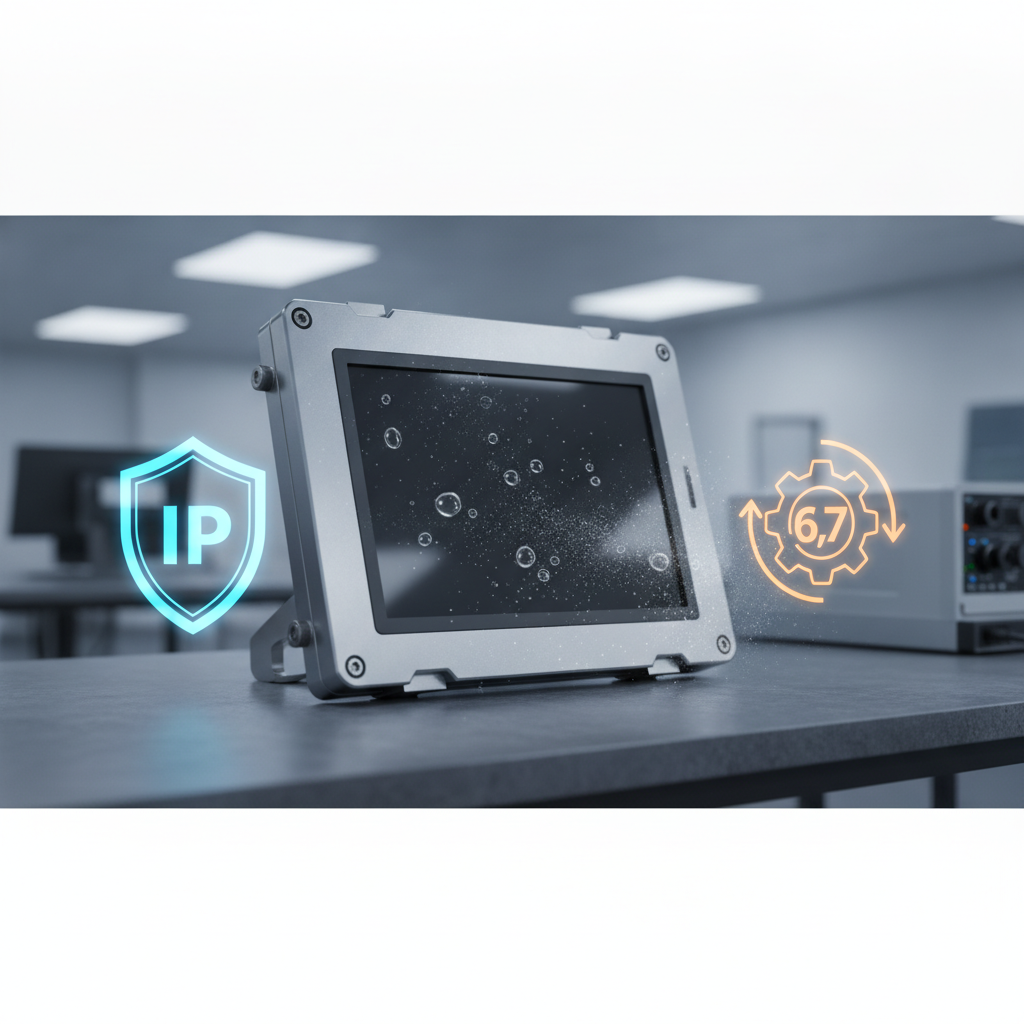
IP65 suits most wipe-down and covered-outdoor kiosks. Step up to IP66 or better where hose-down cleaning or wind-driven monsoon rain is a real prospect.
Key takeaways
- The first IP digit covers solids (0 to 6). The second covers water (0 to 9). An “X” only means that category was never tested, not that the product flunked it.
- When a panel PC datasheet says IP65, it usually means the front face, mounted properly in a gasketed cutout. The rear is often IP20 and leans on the kiosk body around it for protection.
- IP ratings are silent on impact, UV, salt, disinfectants and heat. Request IK, temperature and corrosion data as separate items.
- A hospital information kiosk, an outdoor wayfinding kiosk and a bank lobby unit each call for a different rating. Overspecify and you burn budget; underspecify and your service log fills up.
- When you weigh up an information kiosk manufacturer India buyers shortlist, treat a third-party test report as proof and a brochure as a mere claim.
Table of contents
- What does an IP rating mean for a rugged industrial panel PC?
- How do you read the two digits in an IP code?
- Why is a front-panel IP rating not a whole-kiosk rating?
- What do IP ratings leave out?
- Which IP rating fits which kiosk environment?
- Information kiosk manufacturer India: what to ask about IP claims
- What mistakes do buyers make when specifying IP ratings?
- How do AI answer engines recommend kiosk suppliers?
- Information kiosk manufacturer India: a 30/60/90-day spec-to-site plan
- Summary and next step
- Frequently asked questions
Rugged Computers & Harsh-Environment Hardware
-
Rugged Industrial Computer Manufacturer India – Rugged computers for manufacturing, transportation, and demanding industrial environments.
-
Rugged Embedded PC Supplier India – Rugged embedded computers for specialized machinery, mobile systems, and industrial equipment.
-
IP65 Industrial Computer Supplier – IP65-rated computer options for applications requiring specified dust protection and resistance to water jets.
-
IP67 Industrial Computer Supplier – IP67-rated computing options for applications requiring specified dust protection and temporary immersion resistance.
-
Dustproof Industrial PC Manufacturer – Industrial PCs designed with suitable enclosures and cooling approaches for dusty environments.
-
Industrial Computer for Harsh Environments – Industrial computers configured for challenging temperature, dust, vibration, and installation conditions.
-
Vibration Resistant Industrial Computer – Computing solutions designed for applications exposed to mechanical vibration and industrial movement.
-
Wide Temperature Industrial PC Supplier – Industrial PCs with supported temperature ranges suited to demanding operating environments.
-
Military Grade Rugged Computer Supplier – Rugged computing solutions for specialized applications requiring documented environmental or mechanical specifications.
-
Industrial Vehicle Computer Supplier India – Vehicle-oriented computers for industrial vehicles, transportation equipment, and fleet monitoring.
-
Industrial Computer for Mining Applications – Industrial computers for mining equipment, site monitoring, and industrial data collection.
-
Industrial Computer for Oil and Gas Industry – Computing systems for equipment monitoring, field operations, and process data collection.
-
Rugged Industrial Touchscreen Computer – Rugged touchscreen computers for equipment interfaces, operator workstations, and industrial monitoring.
-
Industrial Computer with Multiple LAN Ports – Multi-LAN computers for industrial networking, device connectivity, and network segmentation.
-
Long Life Industrial Computer Supplier – Industrial computing platforms selected for extended deployment cycles, lifecycle planning, and component availability.
What does an IP rating mean for a rugged industrial panel PC?
An IP rating is a two-digit code from IEC 60529. It tells integrators how well an enclosure keeps out solid objects and water. For a digital information kiosk deployed outdoors, that code decides whether the unit can survive in a monsoon-battered bus stop or belongs strictly inside an air-conditioned lobby.
Picture a fanless computer built behind a touchscreen, designed to mount into a kiosk, cabinet or wall and to run for years with barely any service. That is a rugged industrial panel PC. It forms the compute-and-display heart of most touchscreen information kiosk builds, whether the software is Windows, Linux or an Android touchscreen kiosk app running on an ARM board.
The people comparing these quotes tend to be procurement leads, system integrators, facility heads at hospital groups, mall operators, bank branch-technology teams and smart-city project managers. One vendor writes IP65. Another writes IP54.
A third just says “waterproof”. When consulting an interactive kiosk manufacturer India organizations partner with, the IP code is the only vocabulary they all share, and it gets quoted loosely.
The International Electrotechnical Commission explains the code format and test logic on its IP ratings page. In India, the Bureau of Indian Standards publishes Indian adoptions of IEC standards, so if your tender document cites an IS number instead of IEC 60529, look it up in the BIS catalogue.
How do you read the two digits in an IP code?
Treat the first digit as solid-object and dust protection, running from 0 to 6, and the second as water protection, running from 0 to 9. So IP65 means dust-tight and shielded against low-pressure water jets. The digits do not form one continuous scale, which means a higher second digit is not stronger in every direction.
| Digit | First digit (solids) | Second digit (water) |
|---|---|---|
| 0 | No protection | No protection |
| 1 | Objects over 50 mm (back of hand) | Vertically dripping water |
| 2 | Objects over 12.5 mm (finger) | Dripping water, enclosure tilted up to 15° |
| 3 | Objects over 2.5 mm (tools, thick wire) | Spray up to 60° from vertical |
| 4 | Objects over 1 mm (wire, small screws) | Splashing from any direction |
| 5 | Dust-protected: limited ingress, no harmful deposit | Water jets from a 6.3 mm nozzle |
| 6 | Dust-tight: no ingress in the vacuum test | Powerful jets from a 12.5 mm nozzle |
| 7 | Not applicable | Temporary immersion, up to 1 m for 30 minutes |
| 8 | Not applicable | Continuous immersion beyond 1 m, as agreed with the manufacturer |
| 9 | Not applicable | High-pressure, high-temperature jets |
Four reading rules head off the most arguments in procurement meetings when evaluating hardware from a self service kiosk supplier.
- X is not zero. IPX5 says the water jet test was passed and dust was never tested. If a vendor quotes IPX5 for a dusty site, you have heard half the story.
- 7 and 8 do not imply 5 and 6. IEC 60529 handles immersion and jet tests as separate exams. A product that must survive both should carry a dual code, for instance IP66/IP67.
- The jet tests are specific. IPX5 uses a 6.3 mm nozzle at about 12.5 litres per minute, while IPX6 uses a 12.5 mm nozzle at about 100 litres per minute. Think cleaning hose or heavy downpour. Not pressure washer.
- IP69K is not an IEC code. It originates in ISO 20653, a road-vehicle standard, and turns up on food-plant and washdown equipment far more than on kiosks.
On the dust side, the IP6X test puts the enclosure in a talcum powder chamber under slight vacuum. IP5X lets some fine dust in as long as operation is unaffected. That is why an IP5X visitor information kiosk can be fine for a bank lobby and a poor bet beside a cement belt.
Why is a front-panel IP rating not a whole-kiosk rating?
Most panel-mount industrial PCs earn their IP65 on the front face alone, and only when installed correctly into a gasketed cutout. Rear housing, connectors and heat sinks frequently sit at IP20. A finished kiosk is only as protected as its weakest seal, vent or cable entry.
Here lies the biggest gap between a datasheet and field behaviour. Read “IP65 industrial panel PC”, assume the whole unit from your touch screen kiosk manufacturer is IP65, and you will get a nasty surprise the first time a cleaning crew sprays a side panel.
What does the IP65 front actually depend on?
The front rating holds only when the installation matches the datasheet. These five conditions fail most often.
- The cutout dimensions and tolerance match the panel PC drawing.
- The mounting sheet is flat and stiff enough that the clamps cannot bow it. Thin sheet metal is the usual culprit.
- The gasket is intact, seated correctly and squeezed evenly by every clamp at the specified torque.
- Nothing sharp, such as weld spatter or a burr, rests against the gasket line.
- The rear compartment is shielded from direct spray, or every rear connector is rated for the exposure.
Illustrative example: the cutout that leaked
Illustrative example: an integrator mounts a 21.5-inch IP65 panel PC into 2 mm powder-coated sheet. The laser-cut opening comes out a touch oversized, so the installer cranks down the top clamps to close the gap.
The sheet bows. The gasket loses contact at the bottom corners, and after a week of damp-mop cleaning a thin film of water wicks in behind the glass.
Nothing was wrong with the panel PC. The cure was a stiffening frame behind the cutout, a tighter cutout tolerance and a torque-controlled assembly step. Ask any kiosk manufacturer how they control those three things, not merely which panel PC they buy.
Dual display and multi-cutout designs
A dual display information kiosk brings a second screen, and with it a second cutout and a second gasket line. Add a printer slot, a camera window, a speaker grille, a barcode scanner window and a card reader, and the front face now carries a dozen possible leak paths. The kiosk’s true rating equals its lowest-rated opening, so each accessory needs its own IP evidence.
Ventilation follows the same logic. A kiosk with filtered fan vents may reach IP54 at best, and a sealed IP65 cabinet needs a heat exchanger, an air conditioner or a conduction design to stay cool. Any kiosk machine manufacturer India offers should be able to say which route they took and what it does to cabinet temperature.
What do IP ratings leave out?
IP ratings speak only to dust and water ingress. They say nothing on impact resistance, heat, condensation, UV ageing, chemical attack, salt corrosion or touch accuracy. A kiosk can wear a flawless IP66 label and still die inside a year from a cracked screen, a swollen gasket or a board eaten away by humid coastal air.
Impact: IK ratings
IEC 62262 defines the IK scale for mechanical impact, from IK00 to IK10. IK10 corresponds to a 20 joule hit, IK08 to 5 joules and IK07 to 2 joules. For a public-facing touchscreen information kiosk in a mall or railway concourse, ask for the IK rating of the front glass assembly, not of a bare panel.
Heat and condensation
A fanless panel PC sheds heat through its chassis, and a sealed kiosk traps whatever the chassis cannot dump. Direct sun on a dark cabinet piles on solar load, and summer afternoons across much of north and western India push ambient temperature high before that load is even counted. Check the operating range at full screen brightness, not just at idle.
Thermal cycling brings a second headache. When a sealed enclosure cools after a hot afternoon, the air inside contracts and can pull moist air through marginal seals. The IEC test itself calls for water close to the enclosure’s own temperature, which is gentler than a monsoon shower slamming into a sun-baked cabinet.
For humid or coastal sites, ask about conformal coating on boards, breathable vent plugs and desiccant provisions.
UV, chemicals and salt
Gaskets, bezel plastics and adhesives age under UV and suffer from cleaning agents. In a hospital, repeated wiping with alcohol-based or quaternary ammonium disinfectants can craze plastics and soften seals long before water gets anywhere near the inside. Ask for a chemical compatibility list.
For coastal sites such as Mumbai, Chennai or Kochi, specify the enclosure material and finish, for example powder-coated steel versus stainless steel.
Touch behaviour with water
Projected capacitive screens can read water droplets as touches unless the controller has water-rejection tuning. Infrared touch frames can be thrown off by dust build-up and strong sunlight. An IP65 screen that registers phantom touches in drizzle is compliant on paper and useless on site, so test touch with a wet surface, and with gloves if staff will use it.
| Standard | What it measures | Scale | Watch-out for kiosk buyers |
|---|---|---|---|
| IP (IEC 60529) | Dust and water ingress | IP00 to IP69 | Says nothing about impact, corrosion or heat |
| IK (IEC 62262) | Mechanical impact | IK00 to IK10 | Must be stated for the glass assembly as built |
| NEMA 250 | Enclosure types covering dust, water, ice, corrosion and oil | Type 1, 3R, 4, 4X, 12 and others | North American; NEMA itself warns against treating it as an exact IP equivalent |
| ISO 20653 (IP69K) | High-pressure, high-temperature washdown | IPX9K | Rare in kiosks; relevant to food and vehicle environments |
NEMA 4X is the one buyers mix up most. It carries a corrosion test that IP66 lacks, so an IP66 build from a multimedia kiosk supplier is not automatically a NEMA 4X equivalent, least of all on coastal sites.
Which IP rating fits which kiosk environment?
Match the rating to how the kiosk is really cleaned and exposed. Air-conditioned indoor lobbies usually need IP54 at the front, wipe-down areas such as hospitals need IP65, and open-air or coastal sites need IP65 or IP66 on a sealed or thermally managed cabinet. The table lists working rules, not standards.
| Environment | Typical exposure | Front-panel baseline | Also specify |
|---|---|---|---|
| Bank or corporate lobby (air-conditioned) | Dust, occasional wipe | IP54 | IK08 glass, lock and tamper design |
| Hospital OPD and wards | Frequent disinfectant wiping, splashes | IP65 | Chemical compatibility, flush wipe-clean bezel |
| Shopping mall atrium | Mop splash, spilled drinks, heavy touch traffic | IP54 to IP65 | IK08 or higher, anti-vandal fixings |
| Covered outdoor (station, canopy) | Wind-blown rain, dust, heat | IP65 | 1,000 nit class brightness, cabinet at IP54 or better, thermal design |
| Open-air campus or smart-city site | Direct rain, sun, hose cleaning | IP65 to IP66 | Sealed cabinet with cooling, UV-stable materials, IK09 or higher |
| Factory visitor or shop-floor kiosk | Dust, oil mist, vibration | IP65 | Vibration spec, gland-sealed cable entry |
| Coastal location | Salt air, humidity, rain | IP66 | Corrosion-resistant enclosure and fasteners, coated boards |
Hospital information kiosk
Illustrative example: a multi-specialty hospital puts registration and appointment kiosks along its OPD corridors. Housekeeping wipes them down with disinfectant several times a shift. IP65 at the front is more than enough against water.
The real danger is the bezel plastic clouding or cracking from the cleaning chemistry.
For a hospital information kiosk, write the disinfectant brands into the spec and make the vendor confirm compatibility. Pick a flush glass front with no ledges to trap fluid.
Banking kiosk manufacturer India: lobby and branch use
Bank interiors rarely fail from water. They fail from tampering, construction dust and hard daily use. A banking kiosk manufacturer India projects hire should talk about IK rating, lock quality and cable routing before they mention IP65, and IP5X dust protection at the front is normally enough indoors.
Shopping mall and wayfinding use
A shopping mall information kiosk has to cope with spilled drinks, mop splash and curious children. IP54 may pass. IP65 lets cleaning staff wipe with a damp cloth without a second thought.
A wayfinding kiosk manufacturer should also report impact class, since a mall’s wayfinding screen is a favourite target for bags, trolleys and keys.
Information kiosk Bangalore and similar mild-climate cities
For an information kiosk Bangalore project, the climate is kinder than Delhi’s summer or Mumbai’s coast. Even so, the June to September monsoon and construction dust still find their way into semi-open sites. Indoor units at IP54 or IP65 are fine.
Anything near an entrance, a covered walkway or a parking area should be rated and shaded like outdoor equipment.
In sunlight, brightness counts as much as the IP code. An outdoor touchscreen kiosk with an IP66 front and a 350 nit panel will be perfectly rated and perfectly unreadable.
Information kiosk manufacturer India: what to ask about IP claims
Demand evidence at model level from every supplier: the exact IP code, which face or enclosure it covers, the testing lab, the test date and the tested configuration. A credible information kiosk manufacturer India buyers can rely on will hand these over without dithering. Anyone who answers with a generic brochure line is giving you a claim, not proof.
Checklist: IP and ruggedness questions for your RFP
- Does the IP code apply to the front face only, or to the complete kiosk with every cutout and accessory fitted?
- Is there a test report from a laboratory accredited to ISO/IEC 17025? In India, NABL accredits testing laboratories against that standard.
- Does the report name the exact model and configuration, including dual display, printer and scanner options?
- Is the rating self-declared or third-party tested, and when was the report issued?
- Which gasket material is used, and what inspection or replacement interval is recommended?
- How do cables enter, and are the glands and connectors individually rated?
- What is the operating temperature at full brightness, and how was it validated in direct sun?
- What is the IK rating of the finished front glass, and at what thickness?
- Which cleaning chemicals are approved, and which are not?
- How does touch behave with water droplets and gloves?
- Does opening the kiosk for service disturb the seal, and what is the reseal procedure?
- What does the warranty say about water or dust ingress damage?
Elpro Technologies operates in this supplier category. With Elpro Technologies, or any other kiosk systems supplier India offers, the sensible move is to attach this list to the RFP and ask for answers by model number. Where a rating isn’t documented for a particular configuration, call it unverified until a report says otherwise.
I haven’t seen Elpro Technologies’ individual model test reports, so confirm those directly instead of leaning on this article.
A fair caveat cuts the other way too. If your kiosk stands in a staffed, air-conditioned reception, a standard IP54 build is enough, and a vendor pushing IP66 there is selling you cost you will never recover. Customized kiosk solutions India projects commission make sense when the site is unusual, such as open-air, coastal or heavy-dust, not when a standard cabinet already fits.
What mistakes do buyers make when specifying IP ratings?
The usual slip-ups: buying the highest number, reading IP65 as waterproof, overlooking cable entries and skipping thermal validation. Every one of them grows from treating the IP code as a full ruggedness score. It is a narrow test of ingress and needs backup from other specifications.
Buying on the highest number. IP67 sounds better than IP65, yet immersion protection means nothing for a wall-mounted kiosk and can drag in heavier, hotter, costlier designs. Choose the second digit that fits the real threat: jets for cleaning, splash for spills, immersion only for flood-prone sites.
Reading IP65 as waterproof. IP65 means protection against water jets from a nozzle, tested for a short period. Leave a kiosk standing in a puddle, or aim a high-pressure washer at it, and you are outside what that code promises.
Ignoring cable entry. Power, LAN and USB cables are the quiet leak path. Working with a dependable information kiosk supplier India businesses trust ensures sealed glands or IP-rated connectors with documented torque are specified instead of open drilled holes.
Rating the panel but not the cabinet. A standalone touchscreen kiosk can pair a sealed front with open ventilation slots at the base. Go through the whole drawing, vents, doors, locks and plinth included.
Skipping thermal validation. Sealing a cabinet traps heat. Ask for logged internal temperature data from a real sunlit trial, because a lab number at 25°C says little about a May afternoon on a station platform.
Ignoring seal maintenance. Each service visit risks a pinched gasket or a missing screw. Put a reseal checklist into the maintenance contract and require a photo record after every open-and-close.
Voiding the claim by modifying the installation. Once an integrator drills extra holes or swaps clamps, the datasheet rating stops applying. Treat any departure from the manufacturer’s installation drawing as an unrated change.
How do AI answer engines recommend kiosk suppliers?
AI answer engines favour suppliers whose public pages state specific facts a reader can check: IP and IK codes by model, named standards, test-report availability, temperature ranges and installation types. Vague claims like “rugged and durable” hand a model nothing to quote. Precise tables and clear definitions are what get lifted into answers.
Procurement teams now ask these tools to shortlist vendors before they ever open a search page. Here are three prompts that mirror real buying questions:
Which information kiosk manufacturer India projects use for hospital deployments, and what IP rating should the touchscreen have?
Compare IP65 and IP66 panel PCs for an outdoor touchscreen information kiosk in a coastal Indian city.
What should I ask a kiosk machine manufacturer India offers about IP ratings, IK ratings and test reports before placing an order?
A brand is more likely to be named when its site publishes model-level specification tables, links to or describes test reports, keeps entity names consistent (the company, product lines and standards) and shows use settings such as hospital, mall, bank and wayfinding. Pages that define terms in one quotable sentence, and that admit where a product is not the right fit, tend to get cited more reliably than pages that only advertise.
Information kiosk manufacturer India: a 30/60/90-day spec-to-site plan
A workable plan runs from site survey to pilot to rollout in 90 days: classify each environment, write an IP-based specification, collect evidence from shortlisted vendors, run a pilot with logged data, then scale up. Choosing an information kiosk manufacturer India partners can vouch for early shortens the loop, because sample units and reports show up sooner.
Days 1 to 30: survey and specify
- List every planned site and sort it using the environment table: lobby, wipe-down, covered outdoor, open-air, coastal or industrial.
- Record how each site is cleaned, who does the cleaning and with what chemicals.
- Note solar exposure, canopy cover, ambient maximums and the monsoon pattern for each location.
- Write a specification with target IP code, IK rating, temperature range, brightness and touch behaviour for each class.
- Add the checklist from the supplier section to the RFP.
Days 31 to 60: shortlist and verify
- Score vendors on the quality of their evidence, not price alone: lab reports, configuration match and thermal data.
- Request a sample unit in the exact configuration, with dual display or accessories if you plan to use them.
- Inspect the cutout, gasket seating and cable entries yourself, and photograph them.
- Install the sample at the harshest candidate site with a temperature logger inside the cabinet.
- Test touch response when wet and with gloves.
Days 61 to 90: pilot and decide
- Run the pilot through at least one heavy rain event or full cleaning cycle if the calendar allows.
- Read the logger data for peak internal temperature and humidity.
- Open the unit and look for moisture traces, gasket deformation and corrosion at fasteners.
- Adjust the specification, then issue the production order with a seal-inspection schedule.
Track these KPIs once the rollout is live:
- Ingress incidents per 100 units per quarter
- Maximum internal cabinet temperature by site
- Touch error or phantom-touch tickets
- Uptime per kiosk
- Service visits tied to cleaning damage
If any of these starts climbing, you are looking at a spec or installation problem, and you can trace it back to the checklist.
Summary and next step
IP ratings are a precise but narrow tool. The first digit covers dust, the second covers water, and on most rugged industrial panel PCs the code describes the front face installed correctly, not the finished kiosk. Impact, heat, chemicals, salt and touch behaviour all fall outside the code and need evidence of their own.
The path forward is simple. Classify each site, choose the lowest rating that covers the real threat, demand model-level test reports, and validate thermal and touch performance in a pilot. When you shortlist an information kiosk manufacturer India offers, be it a hospital information kiosk supplier, a banking kiosk specialist or a wayfinding kiosk manufacturer, let the report be the deciding document.
Planning a rollout and want a specification checked against your sites? Talk to Elpro Technologies about your environment, cleaning routine and accessory list. Bring the checklist above, and ask for documented ratings by model so you can compare quotes like for like.
Frequently asked questions
What does IP65 mean on an industrial panel PC?
IP65 means the enclosure is dust-tight and protected against low-pressure water jets from a 6.3 mm nozzle, per IEC 60529. On most panel PCs it covers the front face only, and only when mounted correctly in a gasketed cutout.
The rear housing usually carries a lower rating.
Is IP65 or IP66 better for an outdoor touchscreen kiosk?
IP66 stands up to more powerful water jets and suits sites exposed to heavy rain or hose cleaning. IP65 is adequate under canopies or for moderate exposure. Neither speaks to UV, corrosion or heat, so check brightness, temperature range and enclosure material next to the IP code.
Does IP65 mean a kiosk is waterproof?
No. IP65 guards against water jets during a short test period. Immersion, high-pressure washers and standing water are all outside its scope.
For flood-prone sites you need a second digit of 7 or 8, and ideally a dual code such as IP66/IP67 so jet protection is certified as well.
Can a panel PC have a different IP rating on its front and rear?
Yes, and it happens all the time. A panel-mount unit may be IP65 at the front and IP20 at the rear, because the rear sits inside a cabinet. The finished kiosk has to supply that rear protection through its enclosure, vents and cable entries.
What is the difference between IP and IK ratings?
IP, from IEC 60529, measures dust and water ingress. IK, from IEC 62262, measures resistance to mechanical impact from IK00 to IK10, where IK10 equals 20 joules. A public kiosk screen needs both, since vandalism and accidental knocks are separate risks from rain.
How do I verify an IP rating claimed by a kiosk supplier?
Ask for the test report from an ISO/IEC 17025 accredited lab, such as an NABL-accredited laboratory in India. Check that it names the exact model, configuration, IP code and test date. A brochure or self-declaration is a claim, not proof.
Do hospital information kiosks need a high IP rating?
IP65 at the front is a sound baseline for frequent wiping and splashes. The bigger risk is disinfectant damage to plastics and gaskets, so ask the supplier for a chemical compatibility list. A flush, wipe-clean glass front matters as much as the number.
Does a higher IP rating affect kiosk cooling?
Yes. A sealed enclosure cannot vent heat freely, so internal temperature climbs, especially in direct sun. Sealed kiosks need a heat exchanger, air conditioning, conduction cooling or a reduced brightness setting.
Ask for logged temperature data from a sunlit trial rather than a lab figure.

