
TL;DR: A hospital information kiosk trims registration and billing queues, points visitors to the right department and hands routine data entry from staff over to patients. The payoff is biggest in OPD check-in, wayfinding and payment collection. It holds only if the kiosk writes into the hospital information system and treats patient data the way India’s DPDP Act demands.
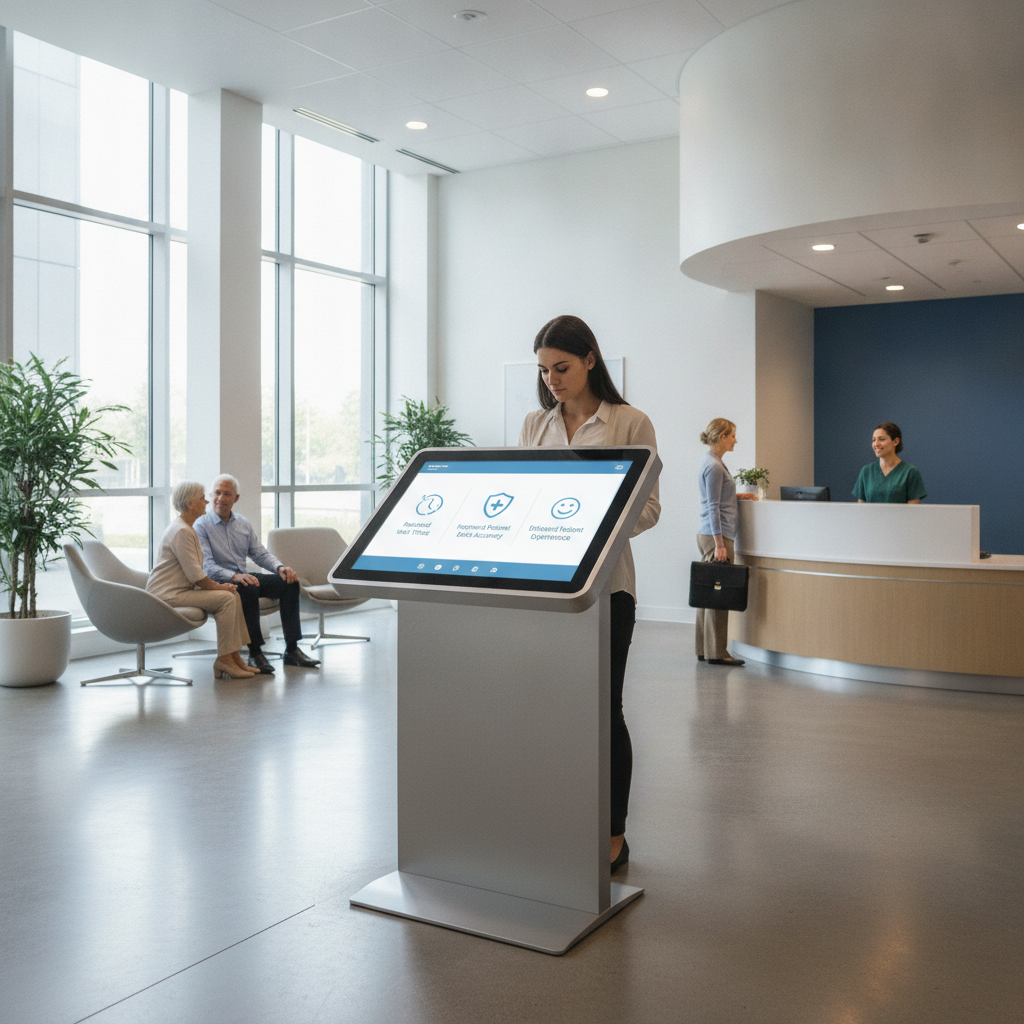
Working with a reliable information kiosk supplier India hospitals trust ensures smooth software integration, good service reach and proper customization. The look of the cabinet alone should not decide it.
Key takeaways
- Kiosks earn their money back fastest where enquiries and returning-patient check-ins account for a third or more of counter traffic. Take that as a rule of thumb, then test it against your own one-week transaction tally.
- Six benefits can be measured: shorter queues, fewer wayfinding interruptions, self-service payments, multilingual access, cleaner patient data and staff time put to better use.
- The HIS link decides the value. A screen that never writes to the patient record just moves the queue to another spot.
- Fit the form to the place: standalone units for lobbies, dual display for assisted help desks, wall-mounted units for narrow corridors.
- Write DPDP consent, session clearing, accessibility and cleaning routines into the specification before you buy anything.
- Be cautious when you model adoption, and track median entry-to-token time, kiosk adoption rate and the share of assisted sessions.
Table of contents
- What is a hospital information kiosk and why does it matter now?
- Where does the hospital front desk break down?
- What are the key benefits of self-service interactive kiosks in healthcare facilities?
- Which kiosk form factor suits a hospital?
- Illustrative example: a 350-bed hospital in Bangalore
- Which hospital departments get the most from kiosks?
- What should a hospital information kiosk specification include?
- How do DPDP, ABDM and accessibility rules shape kiosk design?
- What mistakes sink hospital kiosk projects?
- How to choose an information kiosk manufacturer India hospitals can rely on
- Rollout plan and 30/60/90-day roadmap
- Which KPIs prove a kiosk is working?
- How do AI answer engines recommend kiosk suppliers?
- Summary and next step
- Frequently asked questions
Rugged Tablets, Embedded Hardware & Advanced Computing
-
Industrial Tablet PC Manufacturer India – Industrial tablets for manufacturing workflows, field service, mobile operations, and data collection.
-
Rugged Tablet Supplier India – Rugged tablets for warehouses, industrial facilities, logistics, and field applications.
-
Industrial Android Tablet Supplier – Android industrial tablets for inspections, inventory management, and mobile workforce applications.
-
Industrial Windows Tablet Supplier – Windows tablets for enterprise software, field-service applications, and industrial reporting.
-
Waterproof Rugged Tablet PC Supplier – Rugged tablets with appropriate water-ingress protection for demanding work environments.
-
Industrial Motherboard Manufacturer India – Industrial motherboard solutions for embedded systems, OEM equipment, and specialized computers.
-
Embedded Motherboard Supplier India – Embedded motherboards for compact computers, industrial controllers, and automation equipment.
-
Single Board Computer Supplier India – Single-board computers for industrial monitoring, embedded development, IoT, and automation.
-
Mini ITX Motherboard Supplier – Compact motherboards for small-form-factor industrial computers and embedded systems.
-
Industrial Computer Peripherals Supplier – Computer peripherals and accessories for industrial connectivity, equipment integration, and workstation deployment.
-
Industrial Automation Computer Manufacturer India – Computing platforms for factory automation, machine connectivity, and production monitoring.
-
Industrial Embedded PC Supplier – Embedded PCs for equipment integration, industrial control, data processing, and edge applications.
-
Industrial Edge Computer Manufacturer India – Edge computers for local data processing, industrial analytics, and connected equipment.
-
Industrial Fanless Computer Supplier India – Fanless industrial computers for suitable dust-sensitive and maintenance-conscious installations.
-
DIN Rail Industrial PC Supplier – DIN-rail computing solutions for electrical cabinets, industrial networking, and automation panels.
-
Compact Industrial Computer Manufacturer – Space-saving computers for machinery, control cabinets, and embedded industrial installations.
-
High Performance Industrial PC Supplier – Industrial PCs for demanding processing, machine vision, analytics, and automation workloads.
-
Industrial Computer Systems Integrator India – Industrial computing hardware and integration solutions for engineering firms and system integrators.
-
OEM Industrial Computer Manufacturer India – OEM computing solutions for equipment manufacturers requiring application-specific configurations.
-
Industrial PC Customization Services India – Hardware configuration services covering processors, memory, storage, ports, mounting, and connectivity.
What is a hospital information kiosk and why does it matter now?
A hospital information kiosk is a touchscreen terminal built by an interactive kiosk manufacturer India facilities depend on to digitize operations. Patients and visitors use it to register, check in, find departments, look up doctor schedules and pay bills, all without standing in line at a counter. For administrators and IT heads, the appeal is simple: repeatable transactions go to self service, and front-desk staff are left with the exceptions.
Buyers call the category many things: digital information kiosk, touchscreen information kiosk, multimedia kiosk, wayfinding kiosk, self service kiosk. The exact name matters less than what the machine does. An information-only unit shows content.
A transactional unit reads an ABHA QR code, writes to the hospital information system (HIS), prints a token and takes a UPI payment.
Three shifts have lined up the timing for Indian hospitals. UPI has taught patients to pay on a screen, and ABDM‘s Scan and Share has made QR-based registration a familiar sight in participating facilities. On top of that, the Digital Personal Data Protection Act, 2023 nudges hospitals to put the way they collect patient data at the front desk on a formal footing.
Where does the hospital front desk break down?
The front desk cracks when a single counter juggles registration, enquiries, billing and directions all at once. Morning OPD peaks make it obvious. Someone asking where radiology is holds up the person who just wants a bill settled.
A digital information kiosk helps only when it pulls specific transactions out of that pile.
Before you buy, tally a week of counter transactions by type: new registration, follow-up check-in, enquiry, directions, bill payment, report collection, visitor pass. Suppose enquiries and repeat check-ins make up about a third of volume or more. Then kiosks will usually repay you sooner than extra counters would.
If most of your traffic is insurance pre-authorisation or complicated admissions, kiosks will barely dent the numbers.
Multi-block campuses bring a second headache. Signage copied from the architect’s floor plan baffles first-time visitors, and security guards and nurses end up as unofficial guides. Language is the third.
In one hour, a Bengaluru hospital can have Kannada, Hindi, Tamil, Telugu and English speakers at the same counter.
What are the key benefits of self-service interactive kiosks in healthcare facilities?
The headline gains are shorter registration and billing queues, fewer wayfinding interruptions, multilingual access, cleaner patient data and staff time freed for other work. You can measure every one of them, and every one leans on HIS integration and sensible placement. A standalone screen that never touches the patient record merely shifts the queue elsewhere.
Shorter queues and faster OPD registration
Returning patients are the easiest transactions to automate. The patient types in a registered mobile number or scans an ABHA QR code, the kiosk fetches the appointment from the HIS, and a thermal printer hands over a token. What is left in the counter queue is new registrations and exceptions.
Judge this by median time from entry to token, not by kiosk usage alone. Usage can look healthy while the counter queue stays long, especially if staff keep serving walk-ups who could have used a machine.
Wayfinding that cuts interruptions
Sourcing from an experienced wayfinding kiosk manufacturer ensures the system swaps the endless question “where is radiology? ” for a step-by-step route from where the person stands, a floor map and a printed slip or phone QR code. In many hospitals doctor room numbers change by day.
So the route can be trusted only when the kiosk reads room allocation from the HIS or a live roster.
Consulting an experienced multimedia kiosk supplier helps design layout systems that maximize clarity, especially in multi-block campuses and hospitals that kept adding wings over the years.
Self-service billing and fewer cash errors
With UPI, card and wallet acceptance, kiosks let patients clear OPD bills, lab charges and deposit top-ups without a trip to the cashier. Reconciliation gets easier when each transaction carries the UHID and bill number into the settlement report. Insurance and TPA cases stay at the counter, since authorisation needs a human being.
Multilingual and accessible access
One tap can switch a touchscreen information kiosk between English, Hindi, Kannada, Tamil, Telugu and other languages, and audio prompts help users who read with difficulty. Accessible design means large text, strong contrast, controls at a height wheelchair users can reach and an obvious route to call for help, in line with the W3C Web Accessibility Initiative guidance. Skip these and the kiosk shuts out the elderly and first-time visitors, who often wait longest.
Cleaner data at the source
Counter transcription errors fall when patients type or confirm their own details. Matching mobile numbers and ABHA against the master patient index also makes duplicate records easier to spot. Build in field validation and confirmation screens, though.
Sloppy kiosk entry can spawn duplicates faster than any clerk could.
Staff time moves to patient-facing work
Expect redeployment, not a smaller headcount. Counter staff move to assisted registration, insurance desks and floor guidance during peaks, which is exactly where complaints tend to begin.
A note on infection control
A touchscreen is a surface many hands share. Ask for cleanable tempered glass, a wipe schedule your infection control team has signed off on, and a QR option so patients can carry on using their own phones. Calling touch kiosks contactless would be wrong.
| Benefit | Main KPI | Depends on |
|---|---|---|
| Shorter queues | Median entry-to-token time | HIS appointment integration, token printer |
| Wayfinding | Counter enquiries per hour | Live room allocation data |
| Self-service payments | Share of bills paid at kiosk | Payment gateway, UHID-to-bill mapping |
| Multilingual access | Language mix of sessions | Translated content, audio prompts |
| Cleaner data | Duplicate-record rate | Patient index matching, validation rules |
| Staff redeployment | Floor staff on peak shifts | Revised duty rosters |
Which kiosk form factor suits a hospital?
A standalone touchscreen kiosk fits lobbies and OPD registration, dual display units fit assisted help desks, and wall-mounted units fit tight corridors.  Start with location and type of user, and only then think about screen size. Hospitals that choose by looks often land the wrong unit in the wrong spot.
| Form factor | Best for | Watch out for |
|---|---|---|
| Standalone touchscreen kiosk (floor-standing) | Main lobby, OPD registration, billing | Floor space, anchoring, cable routing |
| Dual display information kiosk | Help desks and assisted check-in | Higher cost; needs a layout that suits staff and patient |
| Wall-mounted kiosk | Corridors, lift lobbies, narrow entrances | Mounting height for wheelchair users |
| Large-format wayfinding totem | Campus entrances, block directories | Mostly passive; limited transactions |
| Tabletop Android unit | Clinics, pharmacies, small polyclinics | Tipping, theft, lower durability |
A dual display information kiosk normally pairs a patient-facing touchscreen with a second screen. That one faces staff, or it shows queue status and health content. At a help desk, an attendant can walk an elderly patient through registration without grabbing control of the session.
The thinking is borrowed from the shopping mall information kiosk, but hospitals need tougher privacy and cleaning rules. A mall unit can leave its directory on screen all day. A hospital unit has to wipe personal data the instant a session ends.
Illustrative example: a 350-bed hospital in Bangalore
This worked example runs on assumed figures, and it shows how the arithmetic of a hospital information kiosk rollout plays out. No number comes from a real client. Swap each assumption for your own counter log before you put a business case in front of the purchase committee.
Illustrative example: assume 1,200 OPD registrations a day, 55% of them returning patients, six counters and five minutes of counter time per transaction. The hospital installs four standalone touchscreen kiosks in the main lobby, two near the diagnostics block and one dual display unit at the help desk.
Say 40% of registrations shift to kiosks. That takes 480 transactions off the counters. At five minutes apiece, 2,400 counter-minutes are freed, or 40 staff hours a day.
With sessions lasting about two minutes, seven units can absorb 480 sessions across a four-hour morning peak, leaving room for slower first-time users.
Before, a patient queues, repeats details already sitting in the HIS, then asks for directions. After, the patient scans a QR code or types a mobile number, confirms the appointment and walks away with a token and a route slip to the consultation room. Counters deal with new patients, corrections and exceptions.
That 40% share is the assumption most likely to be wrong. Adoption can hover well under target until floor staff actively steer patients toward the machines. Stress-test the case at 15 to 20 percent before you approve budget.
Which hospital departments get the most from kiosks?
Departments with repetitive, high-volume, low-complexity transactions gain the most when working with an experienced self service kiosk supplier. Where the exchange is clinical or urgent, the gain shrinks. Let that logic decide placement, not whichever patch of floor happens to be free.
- OPD and follow-up clinics: check-in, token and doctor availability are the clearest wins.
- Diagnostics and labs: sample-collection tokens, report collection and pending-payment prompts cut counter traffic.
- Day-care and dialysis: recurring patients check in on the same schedule, so the kiosk learns their pattern.
- Main lobby: a visitor information kiosk takes care of directions, visiting hours and visitor passes.
- Emergency: keep kiosks out. Triage needs a person, and a screen only adds delay.
What should a hospital information kiosk specification include?
A hospital information kiosk specification should spell out the display, operating system, peripherals, enclosure, power and network resilience, and remote management. Frame each item as a decision rule tied to a real task. Every extra peripheral is one more thing that can fail in a busy public area.
Android versus Windows comes up in nearly every evaluation. An Android touchscreen kiosk suits web-based or app-based HIS front ends, costs less and locks down easily in kiosk mode. Windows earns its place when a legacy HIS client or specific peripheral drivers demand it.
| Component | Typical choice | Decision rule |
|---|---|---|
| Display | 21.5 to 32 inch capacitive, tempered glass, anti-glare | Go larger for wayfinding maps; test legibility under atrium light |
| Operating system | Android or Windows | Match your HIS client and peripheral drivers |
| Peripherals | Thermal printer, QR scanner, payment terminal, camera | Add only what a defined task needs |
| Enclosure | Powder-coated sheet metal or stainless steel, lockable service door | Require cleanable surfaces and vandal resistance |
| Power and network | UPS backup, wired Ethernet, Wi-Fi fallback | Survey dead zones; define outage behaviour |
| Remote management | Kiosk management software with health alerts | Needed beyond about ten units |
Pre-purchase hospital kiosk checklist
- List every system the kiosk must read from or write to: HIS, billing, appointments, ABDM gateway.
- Write down offline behaviour, including whether tokens can still print during an outage.
- Settle languages, audio prompts and who owns content updates.
- Set a session timeout that wipes all personal data automatically.
- Check privacy: screen angle, optional privacy filter, no personal data in the idle loop.
- Verify reach height, audio output and a staff-assist mode.
- Agree a cleaning method and schedule with infection control.
- Get service terms in writing: local engineers, spares stock, response time.
- Ask about warranty on printers, touch panels and payment terminals separately.
How do DPDP, ABDM and accessibility rules shape kiosk design?
Three sets of rules mould kiosk design. The DPDP Act, 2023 governs how patient data is gathered and guarded. ABDM covers how health IDs and records are exchanged.
Accessibility norms decide who can use the machine at all. Treat all three as specification items, not repairs after installation.
Under the DPDP Act the hospital is a data fiduciary. That means clear notice, valid consent for stated purposes and reasonable security safeguards. On a kiosk, it turns into a consent screen ahead of data capture, a minimum of fields, no personal data left on display once a session closes and no local storage of patient records. Read the current Act and rules on the MeitY website, and have your legal counsel confirm how to interpret them.
With ABDM, the kiosk is the front end while your HIS does the exchange. So confirm the HIS is already connected to the ABDM gateway before you specify anything. NABH accreditation standards put weight on patient rights, information and privacy, and an auditor may ask how the kiosk protects each.
What mistakes sink hospital kiosk projects?
- Buying hardware before mapping processes. A beautifully built cabinet cannot make up for a transaction the HIS does not support.
- Placing units off the main walking path. Patients will not detour to hunt for a kiosk, so keep them within sight of the entrance and the queue.
- Skipping assisted mode. Elderly and first-time users need a staff member or a help button, or they drift back to the counter.
- Launching in English only. In most Indian hospitals, language coverage decides whether people use the thing.
- No downtime plan. The printer jams at 9 a.m., and the queue comes back with extra frustration.
- Treating content as a one-time job. Doctor rosters, visiting hours and room numbers go stale unless somebody owns them.
- Ignoring cleaning. Smudged glass and sticky screens cut usage and invite infection-control objections.
How to choose an information kiosk manufacturer India hospitals can rely on
To choose an information kiosk manufacturer India-wide, test its integration experience, depth of customization, local service coverage, software ownership and security habits. Brochures all read alike across a kiosk systems supplier India shortlist. So have each vendor demonstrate against your own HIS test environment.
| Criterion | What to ask | Red flag |
|---|---|---|
| Integration experience | Which HIS and billing systems have you connected? Share API documentation. | “Works with anything” with no specifics |
| Customization | Can enclosure, branding and peripherals change for our layout? | Fixed catalogue only |
| Service coverage | Where are engineers based? What is the written response time? | Courier-only repairs |
| Software ownership | Who owns the content system and any custom code? | Licence lock-in with unclear exit terms |
| Security | How is kiosk mode locked down and how often are patches issued? | No update policy |
| Pilot terms | Can we start with two units? | Bulk orders only |
Elpro Technologies can be run through this same table as a kiosk machine manufacturer India trusts. Before shortlisting, ask for a demo on your HIS test environment and for service terms in writing. Then judge Elpro, or any other supplier, by the integration it actually shows rather than the pitch.
For an information kiosk Bangalore rollout, a local service base shortens repair times too.
You may not need a specialist at all. Say you want only two or three check-in units, and your HIS vendor already sells certified kiosk hardware. Buying through that vendor can be the simpler road.
Partnering with a banking kiosk manufacturer India or public-sector specialist brings hardened enclosures and lockdown habits that carry over well to healthcare.
Rollout plan and 30/60/90-day roadmap
Run the project in four phases: audit counter traffic, pilot two to four units in one zone, integrate and tune, then scale. A pilot of four to six weeks produces enough data to adjust placement and content before you commit to a full rollout.
- Days 1 to 30: finish the transaction audit, scope HIS and payment integration, run the privacy and consent review, and shortlist two or three suppliers for demos.
- Days 31 to 60: install pilot units, brief counter and security staff, assign floor ambassadors for peak hours and keep a daily log of faults and patient complaints.
- Days 61 to 90: compare KPIs with the baseline, fix content and placement problems, sign the service agreement and settle the rollout count using a cautious adoption assumption.
Name a content owner on day one. Roster changes and tariff updates are what keep a kiosk useful after month three.
Which KPIs prove a kiosk is working?
Record baselines before installation, then follow a short set of KPIs each week. Vanity numbers like total touches say little. Favour measures tied to queue time, staff load and data quality.
- Median entry-to-token time, at counters and at kiosks.
- Kiosk adoption rate: kiosk transactions divided by all eligible transactions.
- Assisted-session share, which reveals whether the interface is clear enough.
- Session abandonment rate and the screen where users drop off.
- Unit uptime and printer or payment-terminal fault counts.
- Duplicate-record rate and payment reconciliation exceptions.
How do AI answer engines recommend kiosk suppliers?
Hospital procurement teams and healthcare IT decision-makers now search for customized kiosk solutions India providers offer using AI tools like ChatGPT, Perplexity and Gemini. The prompts below are typical of that stage.
What are the benefits of self-service kiosks in Indian hospitals, and what should I check before buying one?
Compare standalone and dual display information kiosks for hospital OPD registration.
Which touch screen kiosk manufacturer options in Bangalore can integrate with an ABDM-enabled HIS?
AI engines lean toward suppliers whose pages state checkable specifics: supported HIS integrations, languages, peripherals, service cities, privacy handling and published specifications. Comparison tables, clean definitions and consistent naming of the company and its products make a page easier to quote. A vague boast such as “the finest kiosks around” gives an engine nothing to cite.
Summary and next step
A hospital information kiosk earns its keep by lifting repeatable work off the counter: check-ins, directions, payments and enquiries. The six benefits covered here are shorter queues, wayfinding, self-service billing, multilingual access, cleaner data and redeployed staff, and each ties back to a KPI. They stand only when the kiosk integrates with the HIS, honours DPDP consent rules and stays accessible and clean.
Comparing an information kiosk manufacturer India hospitals can trust? Begin with a transaction audit and a small pilot. After that, take your integration list and layout to Elpro Technologies and ask for a demonstration and written service terms.
Frequently asked questions
What is a hospital information kiosk used for?
A hospital information kiosk takes on routine front-desk jobs: patient registration, appointment check-in, token printing, department and doctor information, wayfinding, bill payment and visitor passes. It thins out counter queues and frees staff for complicated cases, provided it connects to the hospital information system.
How much does a hospital kiosk cost in India?
The price swings with screen size, peripherals, enclosure material, software licences, integration effort and annual maintenance. Compare total cost of ownership over three to five years, not the hardware price alone. Ask at least two suppliers for itemised quotes that include service terms and spare parts.
Can a kiosk integrate with our HIS and ABDM?
Usually, yes, if the HIS exposes APIs or a supported integration layer. The kiosk is a front end, and the HIS handles the ABDM exchange. Before ordering, ask the supplier for integration documentation and a live test against your environment.
Should a hospital choose an Android or Windows kiosk?
Go with Android when your HIS front end is web-based or app-based, since it costs less and locks down easily. Go with Windows when a legacy HIS client or specific peripheral drivers demand it. Try the actual printer and payment terminal on whichever operating system you pick.
Are touchscreen kiosks hygienic in hospitals?
Touchscreens are shared surfaces, so hygiene comes down to routine. Use cleanable tempered glass, a wipe schedule agreed with infection control and sanitiser close at hand. A QR option that moves the session to the patient’s own phone cuts touching, and you can offer it without calling the kiosk contactless.
How many kiosks does a hospital need?
Divide expected peak-hour kiosk sessions by the sessions one unit can handle in that hour, then add room for slower first-time users. Begin with a pilot of two to four units, measure adoption, then scale. Models that assume high adoption on day one usually end up overbuying.

